

Security reporting is more than a record of who was on duty. For New York City property managers, hotel operators, construction managers, and security decision-makers, it is an important source of operational information. Daily reports can reveal access-control problems, recurring disturbances, unsafe conditions, equipment failures, and patterns that require management attention.
Many properties still rely on handwritten logbooks, while others use digital daily activity reports and incident reporting systems. Both formats can document activity, but they differ significantly in how information is captured, reviewed, shared, searched, and used.
The practical question is not whether paper is obsolete. A paper log may remain useful as an onsite backup. The more important question is whether it provides enough visibility and accountability to serve as the property's primary security management system.
Digital Security Reports vs. Paper Logbooks at a Glance
The quality of any report still depends on the person preparing it and the procedures behind it. Technology cannot make an incomplete observation accurate. However, a well-configured digital process can make reports easier to standardize, review, retrieve, and act on.
| Reporting consideration | Digital security reports | Paper logbooks |
|---|---|---|
| Timestamps | Can create system-generated submission and activity times | Depend on the officer writing the time correctly |
| Legibility | Typed and generally consistent | Varies by handwriting and writing conditions |
| Historical search | Often searchable by date, location, incident type, or keyword | Usually requires manual page-by-page review |
| Photos and attachments | May include photos, documents, and supporting files | Typically limited to written descriptions |
| Required information | Forms can require specific fields before submission | Information depends heavily on officer judgment and training |
| Supervisor review | Reports can be reviewed remotely and routed for follow-up | Usually reviewed when a supervisor reaches the property or receives the book |
| Escalation | Notifications may be sent soon after a report is submitted | Often relies on a separate phone call, text, or email |
| Client visibility | Authorized stakeholders may receive remote access or scheduled reports | Generally requires physical access, scanning, or manual summaries |
| Retention | Can be managed through a defined digital retention and backup policy | Requires secure physical storage and protection from loss or damage |
| Trend analysis | Data can be categorized and compared over time | Patterns must be identified through manual review |
These are general differences, not guarantees. Digital platforms vary in their security controls, audit histories, export capabilities, and retention settings. Property teams should evaluate the actual configuration and operating procedures rather than assuming every digital system provides the same features.
Why Reporting Quality Matters in NYC Properties
New York buildings generate a high volume of activity. A Manhattan office tower may have employees, tenants, vendors, messengers, contractors, cleaners, and visitors passing through the lobby in a single day. Hotels operate around the clock and regularly encounter guest-service issues that may also have security implications. Construction sites face changing access points, deliveries, temporary barriers, and work conditions.
A useful security report should help management understand what occurred, where it occurred, when it occurred, who was involved, what action was taken, and whether follow-up is still needed.
When reporting is inconsistent or difficult to review, small warning signs can remain isolated in separate shifts or logbook pages. A door repeatedly found unsecured, for example, may look like a minor event on any one night. Viewed across several weeks, it could indicate a hardware issue, a procedural gap, or repeated noncompliance with the property's access rules.
The Practical Advantages of Digital Daily Activity Reporting
More Reliable Timestamps
Digital reports can record when an entry was created, submitted, reviewed, or updated. This creates a clearer sequence of events than relying solely on a handwritten time.
However, a digital timestamp should not automatically be treated as proof that an officer was physically present at a particular location. Location verification, checkpoint activity, editing permissions, and audit histories depend on the system and how it is configured. Managers should understand exactly what each timestamp represents.
Improved Legibility and Consistency
Handwriting can be difficult to read, particularly when reports are completed quickly, in poor weather, or at a dimly lit post. Typed reports reduce ambiguity and make it easier for managers, supervisors, and authorized stakeholders to understand what happened.
Digital forms can also encourage consistent language. Dropdown menus, incident categories, and required fields help reduce entries such as “all quiet” when management needs more specific information about patrols, access points, or notable conditions.
Searchable Historical Records
One of the biggest differences in digital security reports vs. paper logbooks is the ability to retrieve older information efficiently. Instead of reviewing months of handwritten pages, an authorized user may be able to search by:
- Date and time
- Building or post
- Incident category
- Individual named in a report
- Specific floor or access point
- Supervisor status
- Keyword
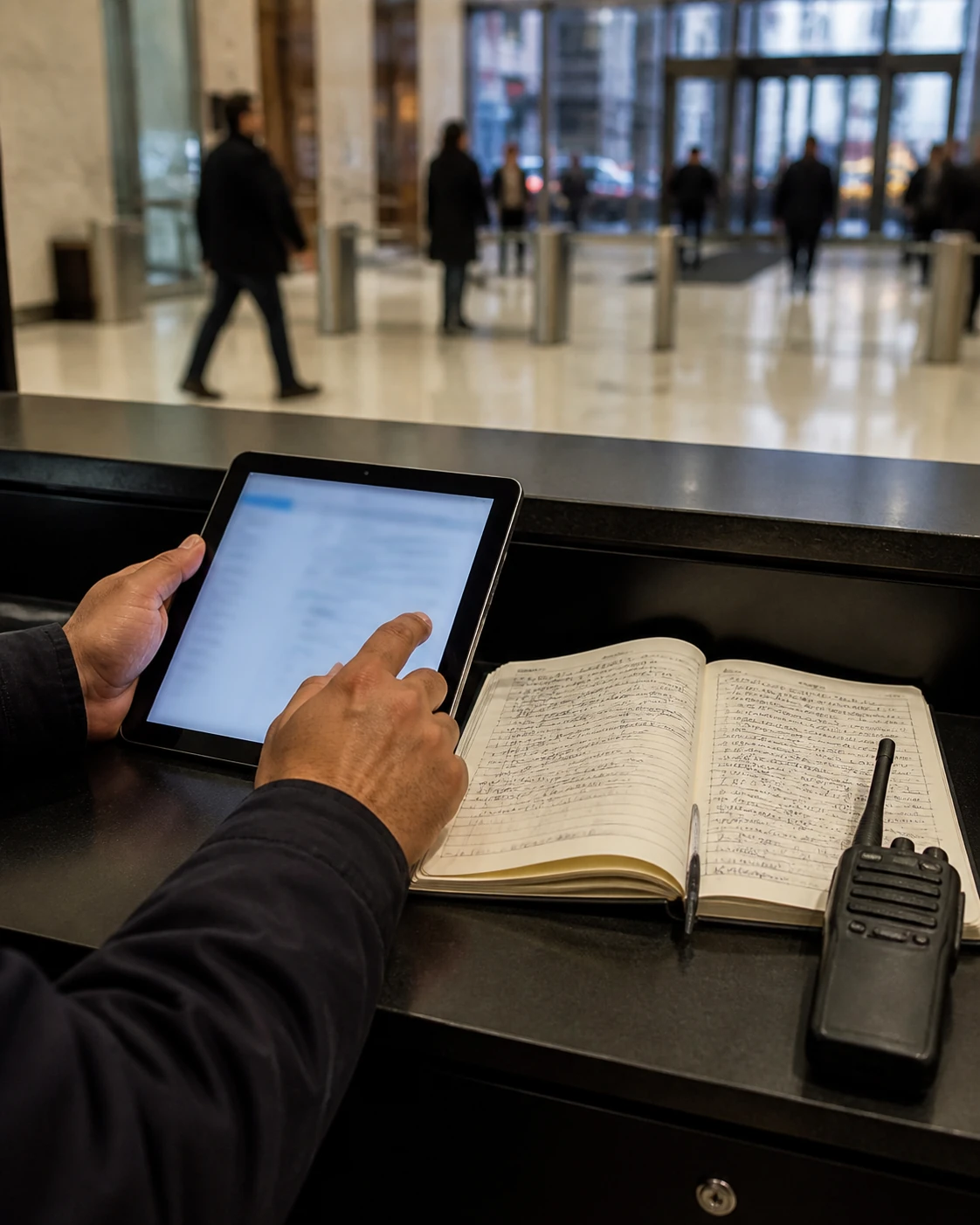
Searchable records can help when management needs to investigate a recurring problem, answer a tenant question, review a vendor's access history, or prepare for an internal operational meeting.
Searchability depends on accurate data entry. If officers use inconsistent names or place every event in a general category, the system will be less useful. Standard naming conventions and periodic quality checks remain necessary.
Photos and Supporting Attachments
A photograph can provide useful context that a short written entry cannot. Depending on property rules and privacy considerations, digital reports may include images of:
- A damaged lock or door
- Water accumulation near an entrance
- A blocked passageway
- A broken fence panel at a construction site
- Property damage
- An unsecured delivery area
- A condition requiring engineering or management attention
Photos should supplement, not replace, a clear written explanation. Reports should identify the location, time, observed condition, immediate action, notifications made, and required follow-up.
Property management should also establish rules governing what may be photographed, who may view the images, and how sensitive information is handled.
Standardized Incident Fields
Open-ended narrative fields are important, but they should not be the only reporting tool. A structured incident form can prompt the officer to record essential details such as:
- Exact location
- Incident type
- Date and time observed
- People notified
- Immediate action taken
- Emergency services contacted, if applicable
- Witness information, when appropriate
- Photos or attachments
- Whether the matter remains open
- Supervisor follow-up status
Required fields reduce the likelihood that critical information will be omitted. They also make it easier to categorize incidents and identify patterns across shifts or locations.
Supervisor Review and Faster Escalation
A report creates value only when the right person reviews it and acts when necessary. With a paper logbook, supervisors may not see an entry until a later site visit. A serious event should already be escalated by phone or another approved emergency communication method, but less obvious operational issues can remain buried in the book.
Digital reporting can support faster review by notifying supervisors or client contacts when selected incident categories are submitted. For example, a property may establish different workflows for:
- Routine daily activity
- Maintenance observations
- Access-control violations
- Property damage
- Medical or emergency activity
- Repeated quality-of-life complaints
- Conditions requiring immediate management attention
Digital alerts should not replace emergency procedures. Officers must still know whom to call, in what order, and under what circumstances. A notification sitting unread in an application is not a substitute for direct escalation when urgent action is required.
Managers evaluating digital security field management should look beyond the reporting interface and examine how supervisor review, follow-up ownership, and escalation procedures work in practice.
Better Client Visibility Without Information Overload
Digital reports can give authorized property stakeholders access without requiring them to visit the security desk or wait for a scanned logbook. Depending on the system, stakeholders may receive daily summaries, incident notifications, or access to a reporting portal.
That visibility should be configured carefully. Not every stakeholder needs access to every report. A hotel department head may need a different view from the general manager. A construction superintendent may require open-condition reports but not unrelated personnel information. A managing agent overseeing several buildings may need high-level trends with the ability to review individual incidents when necessary.
Good reporting design balances visibility with confidentiality. Access should be limited by role, and management should periodically review who can view, download, edit, or distribute records.
Retention, Accountability, and Record Integrity
Paper and digital records both require a retention plan.
Paper logbooks must be stored securely and protected from loss, unauthorized access, water damage, fire, and ordinary deterioration. Managers also need a reliable method for locating the correct volume when older information is requested.
Digital reporting reduces physical storage, but it introduces other questions:
- How long are reports retained?
- Can records be exported in a usable format?
- Are backups maintained?
- Who can edit or delete an entry?
- Does the system preserve an audit history?
- What happens to the records if the service relationship ends?
- How are user accounts disabled when personnel change?
- What safeguards protect sensitive information?
There is no single retention period appropriate for every property and every type of report. A building's policy should account for its agreements, internal procedures, insurance requirements, operational needs, and guidance from qualified legal or risk professionals.
Digital systems can improve accountability by showing submission, review, assignment, and closure activity. Still, accountability requires management discipline. Someone must review reports, return incomplete entries, document follow-up, and confirm that unresolved conditions are closed.
Identifying Recurring Property Risks
Individual incident reports explain separate events. Aggregated reports can show what the property repeatedly experiences.
A manager may discover that:

- A loading-dock door is regularly found unsecured after a certain shift
- Unauthorized access attempts increase during specific hours
- Water leaks repeatedly occur in the same area
- Guests or tenants frequently report disturbances on one floor
- Construction fencing is displaced after deliveries
- Package-room congestion produces recurring access problems
- A particular alarm or piece of equipment generates repeated calls
These patterns can support better decisions about post orders, staffing schedules, patrol frequency, lighting, locks, cameras, vendor practices, or building repairs. Reporting data does not replace a security assessment, but it can help management focus attention on recurring conditions rather than isolated anecdotes.
Where Paper Logbooks Still Have Value
Paper remains useful in several situations. It does not require power, connectivity, a charged device, or an active user account. During a technology outage, a properly maintained paper log can preserve continuity until normal systems return.
A paper backup should include clear instructions covering:
- When officers should switch to the backup log.
- What information must be recorded.
- Who must be notified about the outage.
- How urgent incidents should be escalated.
- Whether and how entries should later be added to the digital record.
- Who verifies that records were reconciled.
Paper may also be appropriate for a narrowly defined onsite function, such as a temporary sign-in record, provided the property has considered confidentiality, storage, and disposal.
The problem arises when a paper logbook is the only management system for a busy property. Physical availability at the desk does not provide remote visibility, efficient search, automatic routing, or practical trend analysis.
A Sensible Hybrid Approach
For many NYC properties, the most resilient model is digital-first reporting supported by a controlled paper contingency process.
Under this approach:
- Daily activity and incident reports are normally submitted digitally.
- Urgent events are escalated through direct communication procedures.
- Supervisors review reports within defined timeframes.
- Open issues are assigned and tracked through closure.
- Paper forms are available for outages or device failures.
- Backup entries are transferred or reconciled when systems are restored.
- Management periodically audits report quality, access rights, and retention practices.
The goal is not to digitize poor reporting habits. It is to create a process that gives officers clear expectations and gives property leaders timely, usable information.
Questions to Ask Before Changing Reporting Systems
Before moving from paper logbooks to digital reports, decision-makers should ask:
- What information does management actually need each day?
- Which incidents require immediate phone escalation?
- Which report fields should be mandatory?
- Can the system operate effectively at all posts and property areas?
- What is the backup plan for device, power, or connectivity failures?
- Can authorized users search and export historical records?
- Are edits, reviews, and closures documented?
- How will photos and sensitive information be controlled?
- Who reviews reports on nights, weekends, and holidays?
- How will officers and supervisors be trained?
- What performance indicators will management review each month?
A short pilot can help identify weak forms, confusing categories, connectivity gaps, and unnecessary notifications before a full rollout.
Turning Security Reporting Into a Management Tool
The best reporting method is the one that consistently produces accurate observations, timely escalation, documented follow-up, and useful historical insight. Paper can provide a dependable onsite backup, but it is usually limited as the sole reporting method for a complex NYC property.
Digital reporting can improve legibility, access, standardization, and trend analysis. Its value, however, depends on thoughtful configuration, trained personnel, active supervision, appropriate access controls, and a clear backup plan.
To discuss security coverage and reporting expectations for a New York City property, call or text [(212) 602-1695](tel:+12126021695) or request coverage online.
Related Guardian services
When arranging security guard coverage, agree on reporting, review, and record access alongside staffing. For recurring officer responses during a shift, review Guardian HourGuard.
Frequently asked questions
Are digital security reports more reliable than paper logbooks?
They can be more legible, searchable, and consistent, but reliability still depends on accurate observations, trained officers, clear procedures, and supervisor review. Digital timestamps and required fields help, but they do not guarantee that every entry is complete or correct.
Should an NYC property eliminate paper security logs completely?
Not necessarily. A controlled paper log can be a useful backup during a device, power, connectivity, or account-access failure. Management should define when the backup is used and how paper entries are reconciled with the primary digital record.
Can digital reports automatically notify property management about incidents?
Many systems can route selected reports or alerts to supervisors and authorized client contacts. Notification rules should be based on incident severity, and urgent situations should still follow direct emergency and escalation procedures.
How long should security reports be retained?
There is no universal retention period suitable for every property or report type. Management should establish a written policy based on operational needs, agreements, insurance requirements, and advice from qualified legal or risk professionals.
What should property managers review in digital security reports?
Managers should look for incomplete entries, unresolved follow-up, recurring incident types, repeated problems at the same location, escalation delays, access-control issues, and conditions that may require changes to staffing, post orders, maintenance, or physical security.