
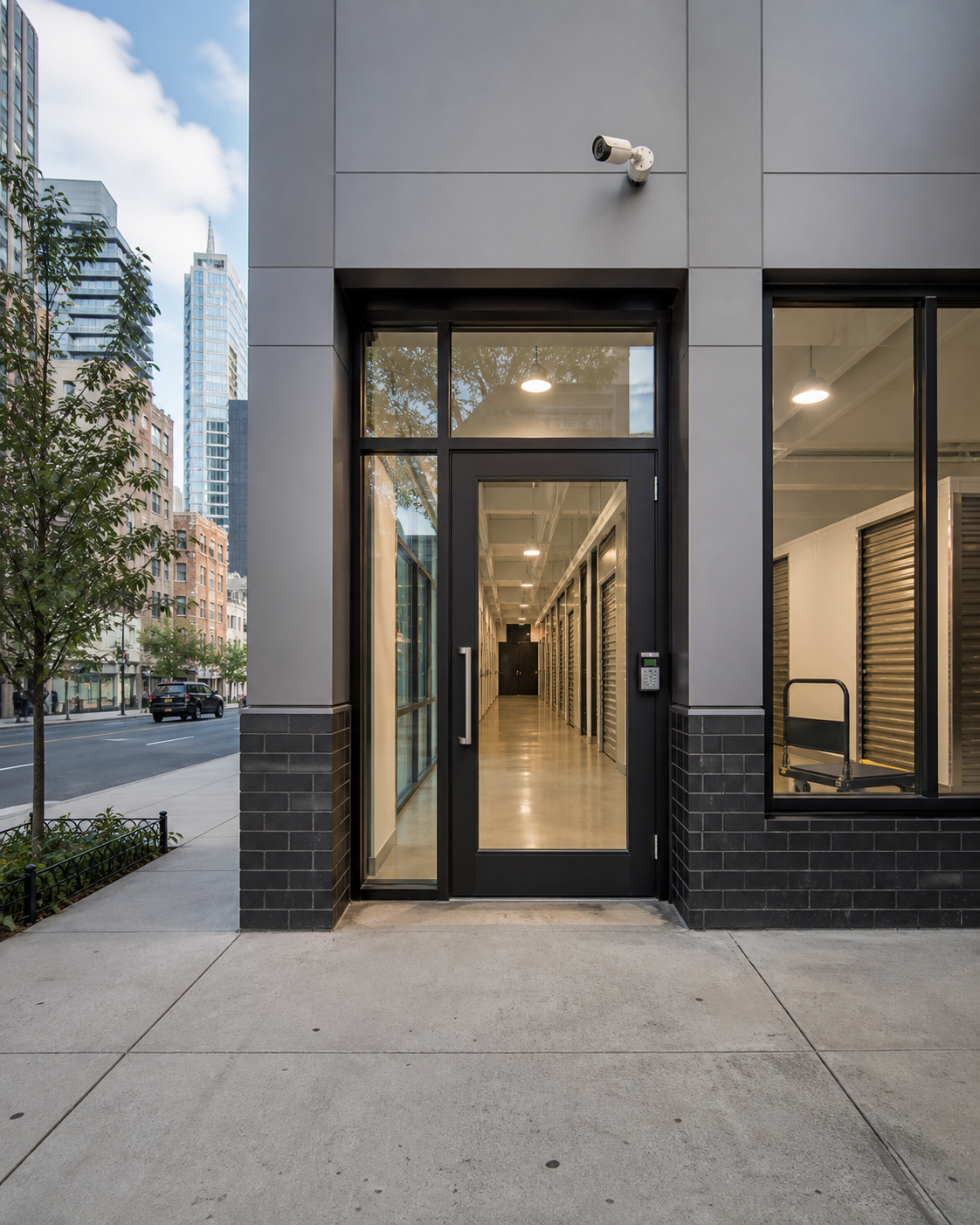
New York City’s self-storage licensing requirement took effect on August 25, 2026. For covered operators, this is an important moment to review licensing responsibilities with the New York City Department of Consumer and Worker Protection (DCWP)—and to examine whether day-to-day security practices adequately protect customers, employees, and property.
The change is primarily about licensing and consumer protection. Operators should not assume it creates specific requirements for guards, cameras, alarms, or access-control technology unless those measures appear in applicable laws, final rules, lease obligations, insurance conditions, or other governing standards. Even so, licensing readiness offers a useful reason to address security gaps before they become customer complaints or costly incidents.
What the August 25, 2026 change means for operators
Self-storage businesses covered by the new requirement must meet the licensing requirement that began August 25, 2026. DCWP’s August 26 FAQ gives November 1, 2026 as the start date for the other new requirements, so operators should distinguish those deadlines. Facility owners and managers should monitor official DCWP guidance for application instructions, fees, required documents, renewal details, and any final rules or updates.
Because requirements can change during implementation, operators should confirm their obligations directly with DCWP and qualified legal counsel. A security review complements that work; it does not replace licensing or legal advice.
Useful questions for management include:
- Is the business and each applicable location correctly identified for licensing purposes?
- Who is responsible for the application and ongoing renewal tracking?
- Are customer agreements, notices, fees, and complaint procedures being reviewed separately?
- Can management retrieve incident, access, and visitor records when a complaint needs investigation?
- Do employees know whom to contact after a break-in, alarm, fire-system issue, or customer confrontation?
Build a security plan around actual facility operations
A generic security checklist is rarely enough for a self-storage property. Risk varies based on whether the facility is staffed around the clock, offers extended customer access, has interior or drive-up units, shares a mixed-use building, or receives frequent commercial deliveries.
Start by mapping how people, vehicles, and goods move through the site during staffed and unattended hours.
Review access credentials from issuance to deactivation
Keypads, mobile credentials, access cards, physical keys, and lock-control systems are only effective when there is a clear process behind them. Review the entire credential lifecycle:
- Issuance: Verify how a new customer’s identity and unit access are connected in the system.
- Permissions: Limit access to the doors, floors, elevators, or time periods the customer needs.
- Sharing: Establish procedures for customers who authorize family members, movers, or contractors.
- Exceptions: Document how employees handle forgotten codes, lockouts, and identity-verification requests.
- Deactivation: Promptly revoke credentials after move-out, employee separation, or confirmed misuse.
- Auditing: Periodically check for duplicate, dormant, generic, or unexplained credentials.
Avoid relying on a shared employee code when individual credentials can provide better accountability. Access records should also be retained and protected according to the company’s documented policies and applicable privacy obligations.
Plan specifically for unattended hours
Extended or 24-hour customer access can create a gap between detecting an event and responding to it. Determine what happens when no employee is on site and someone:

- Forces a perimeter door or gate
- Props open a controlled entrance
- Enters a restricted floor or service area
- Reports a person sleeping or remaining inside
- Triggers a unit, motion, or intrusion alarm
- Encounters smoke, water leakage, or another building emergency
The plan should identify who receives alerts, how the event is verified, when a manager or security professional is dispatched, and when emergency services should be contacted. Contact lists and escalation instructions must remain current—not buried in an outdated operations binder.
For unexpected staffing gaps or an urgent site problem, operators can explore emergency security coverage.
Evaluate unit alarms, cameras, and loading areas together
Security systems work best as layers. A unit alarm may identify activity at a particular door, while access logs indicate which credential entered the property and video helps establish what occurred. None of these tools should be treated as a complete solution by itself.
Unit and intrusion alarms
Where alarms are installed, management should test whether signals reach the correct recipient and whether staff understand different alert types. Review:
- Alarm naming and unit-number accuracy
- Battery and communication-failure notifications
- Opening and closing schedules
- False-alarm documentation
- After-hours notification paths
- Testing and maintenance records
An alert without a defined response owner can create the appearance of protection without a reliable operational result.
Video coverage and loading-zone visibility
Loading areas deserve special attention because doors may remain open while customers, movers, and delivery vehicles circulate. Walk the area at different times of day to check lighting, sightlines, camera views, blind spots, and pedestrian conflicts.
Consider whether personnel can distinguish among legitimate customers, authorized movers, vendors, and people following a vehicle through an open gate. Operational controls could include scheduled move-ins, temporary mover credentials, intercom verification, visible check-in procedures, or security personnel during high-traffic periods.
Cameras should support incident review without intruding into areas where people reasonably expect privacy. Operators should also establish appropriate access, retention, and disclosure practices for recorded footage.
Keep useful visitor and incident records
A visitor record is valuable only if staff use it consistently and management can retrieve it when needed. Depending on the property, records may cover vendors, movers, maintenance personnel, prospective customers, and visitors who do not have their own credentials.
A practical record can include:
- Name and company, when applicable
- Arrival and departure time
- Person or unit being visited
- Reason for access
- Temporary credential or key issued
- Employee authorizing entry
Collect only information that serves a legitimate operational purpose, protect it from unnecessary access, and set a documented retention schedule with appropriate legal and privacy guidance.
Incident reports should remain separate from ordinary visitor logs. They should objectively record what was observed, when it occurred, actions taken, available video or access records, notifications made, and follow-up assignments. Employees should avoid speculation or unsupported conclusions.
Give employees procedures they can use under pressure
Technology cannot replace a clear response procedure. Front-desk personnel, maintenance teams, managers, and security staff should know their authority and limits before an incident occurs.
Create short, scenario-based instructions for:
- Tailgating and propped doors
- Suspicious activity or attempted unit access
- Customer lockouts and identity disputes
- Alarm activation after hours
- Theft or property-damage reports
- Aggressive or distressed individuals
- Fire alarms, smoke, or impaired fire-protection systems
- Police, fire department, insurer, or management notifications

Training should emphasize personal safety. Employees should not physically confront a suspected offender merely to protect stored property. Response plans should define when to observe, withdraw, call 911, notify management, preserve evidence, or request trained security support.
If a fire-protection system becomes impaired, the required response depends on the building, system, permit conditions, and direction from the authority having jurisdiction. Do not assume an ordinary security post satisfies a required fire watch. Guardian can help operators discuss appropriately qualified fire guard coverage when a documented need arises.
A practical review now that licensing has begun
- Confirm the license status of each location against current DCWP instructions.
- Review the separate November 1, 2026 requirements with the people responsible for consumer agreements and compliance.
- Audit credentials, alarms, loading areas, and incident records during both staffed and unattended hours.
- Assign owners and dates for operational corrections, then test the updated response procedures.
Security review checklist for self-storage operators
- Confirm current DCWP licensing guidance and applicability.
- Assign responsibility for licensing and renewal tracking.
- Inventory all customer, employee, vendor, and emergency credentials.
- Remove obsolete codes, cards, keys, and permissions.
- Test after-hours alarm and escalation workflows.
- Review loading-area lighting, sightlines, cameras, and gate practices.
- Standardize visitor, mover, and contractor check-in procedures.
- Create concise incident-reporting and evidence-preservation steps.
- Train employees on safe response and escalation limits.
- Coordinate security procedures with insurers, landlords, and relevant vendors.
- Schedule follow-up reviews after operational or regulatory changes.
Prepare the property, not just the application
A license application and a security plan address different responsibilities. Handling both proactively can make a facility easier to manage, improve incident response, and demonstrate that customer concerns are taken seriously.
Guardian ISI can assess access points, loading operations, after-hours risks, post instructions, and potential staffing needs for New York City properties. To discuss planned or urgent coverage, call or text (212) 602-1695 or request coverage online. You can also review Guardian’s security guard services or contact the team with questions about your facility.
Official references
Frequently asked questions
When does NYC’s self-storage licensing requirement take effect?
The licensing requirement began August 25, 2026. DCWP’s August 26 FAQ identifies November 1, 2026 as the start date for the other new requirements. Check the current official guidance for your location.
Does the new license automatically require security guards or unit alarms?
The licensing change is primarily a licensing and consumer-protection measure. Operators should not assume it mandates guards, alarms, cameras, or specific technology unless required by applicable rules, another law, a lease, an insurer, or another governing obligation.
What should a self-storage facility review now?
Review access credentials, unattended-hour procedures, alarm routing, loading-area controls, visitor records, incident reporting, emergency contacts, employee training, and credential-deactivation practices.
How should facilities handle access during unattended hours?
Create a written escalation path identifying who receives alerts, how events are verified, when management or security is dispatched, and when employees or monitoring personnel should contact emergency services.
Can an ordinary security guard perform a required fire watch?
Not automatically. Fire-watch and fire-guard needs depend on the building, system impairment, applicable requirements, and instructions from the authority having jurisdiction. Confirm the required qualifications before assigning personnel.